Dessons
Image → MIDI loop generator
A browser tool I built that turns an image, a video or a webcam feed into a multi-track MIDI loop, exported as a .mid file or streamed live into your DAW. Built for making loops in Logic Pro. It runs entirely in the browser; nothing is sent anywhere.
Web / Music / Creative Coding
Why I built it
A lot of my work is about seeing music and hearing images. My visualizers go one way, from sound to picture. Dessons goes the other direction.
The name is dessin + sons, French for “drawing and sounds”. Drop in an image and it reads the pixels as notes: one axis becomes pitch, the other becomes time. What comes out is a multi-track MIDI loop you can drop straight into Logic Pro, or play live into any DAW.
I wanted to start a loop from a photo, a painting, or whatever is in front of my webcam, instead of from an empty piano roll. Something quick, and a bit out of my control, that I then take further by hand.
Reading an image as notes
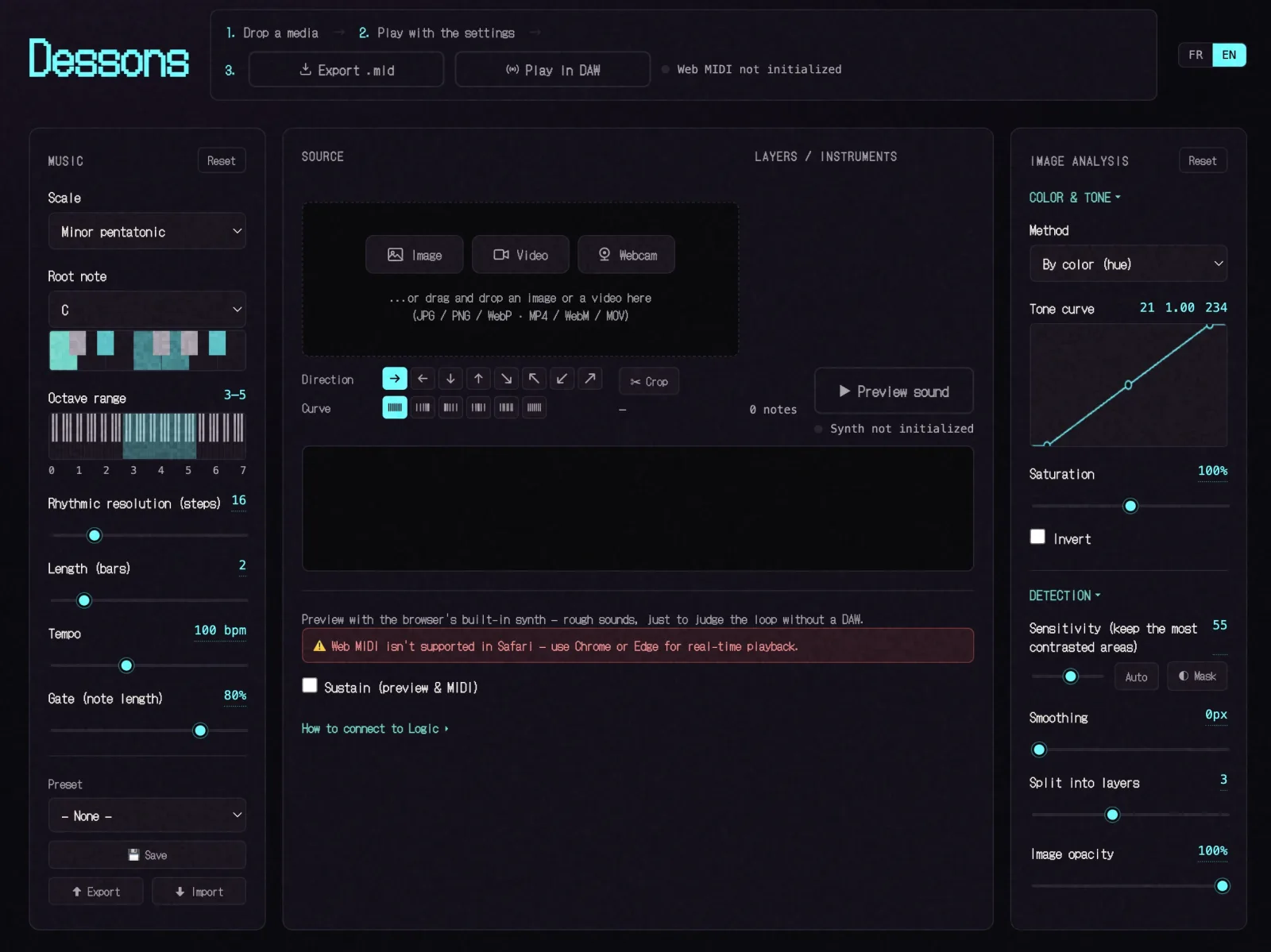
One axis of the image is quantized onto a musical scale (pentatonic, Dorian, whole-tone, chromatic, whatever you pick), so you can’t hit a wrong note. The other axis becomes time, spread across the number of bars you set.
Three controls decide which pixels become notes: contrast, saturation and sensitivity. Lower the sensitivity and only the most contrasted areas survive; drop saturation to zero and you work in pure brightness. It re-renders live as you drag, and a piano roll under the image shows the exact notes that will end up in the export.
Splitting an image into instruments
A single melodic line works, but you can also split the image into layers. Dessons separates it four ways:
- By hue: the color wheel sliced into bands
- By brightness: shadows, midtones and highlights
- By picked colors: click a layer’s swatch, then click a color in the image; only the pixels close to it feed that layer
- By edges: a Sobel pass, so you get outlines rather than fills
Each layer becomes its own MIDI track, with its own General MIDI instrument and its own name. Per-row mute and solo let you compare layers by ear. That monitoring never changes which pixels became notes; the analysis decides that once, so the preview, the live playback and the .mid file all match.
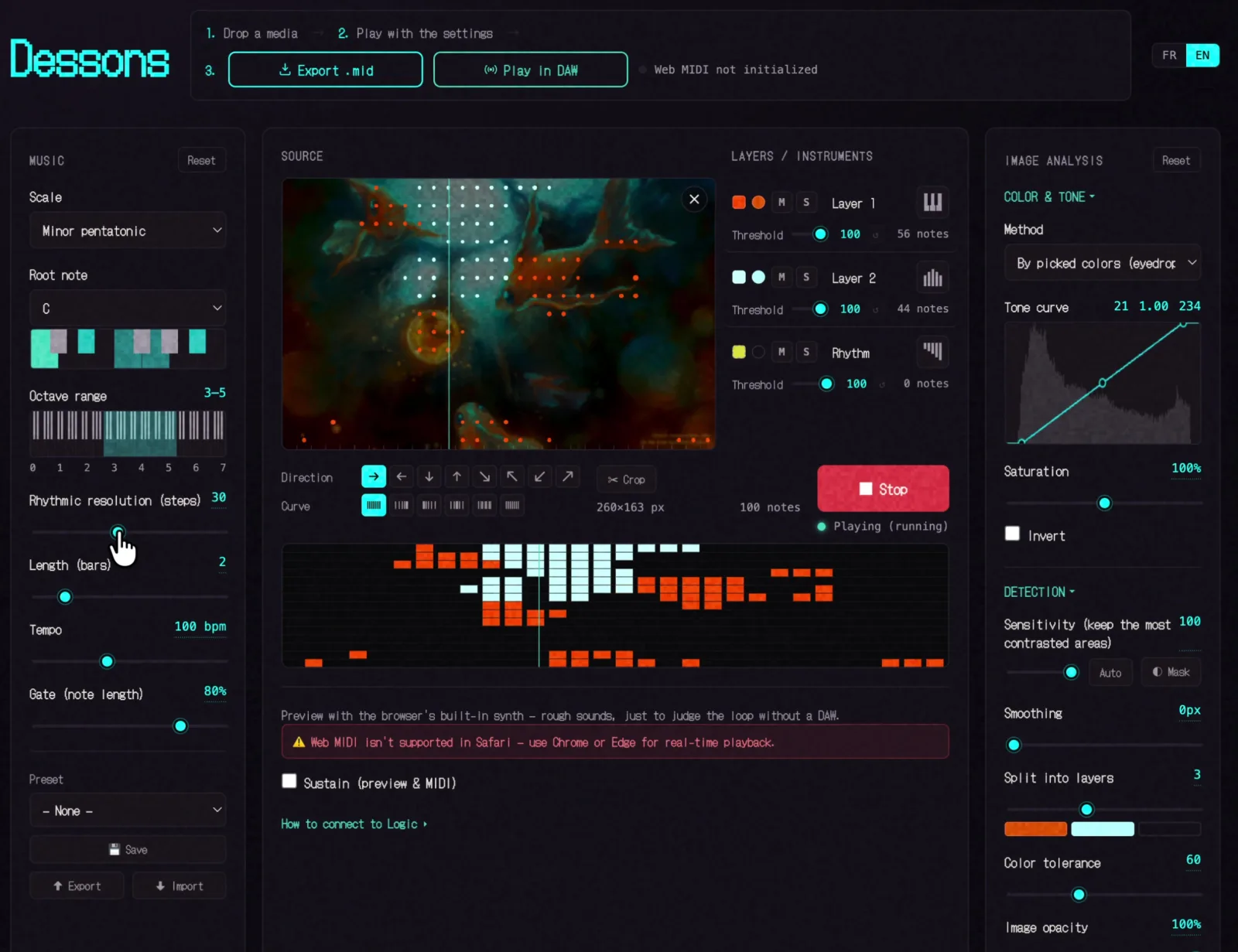
Picking the rust-orange of the fish plays only the fish, not everything sorted by nearest color. A layer you never pick stays silent.
Video and webcam
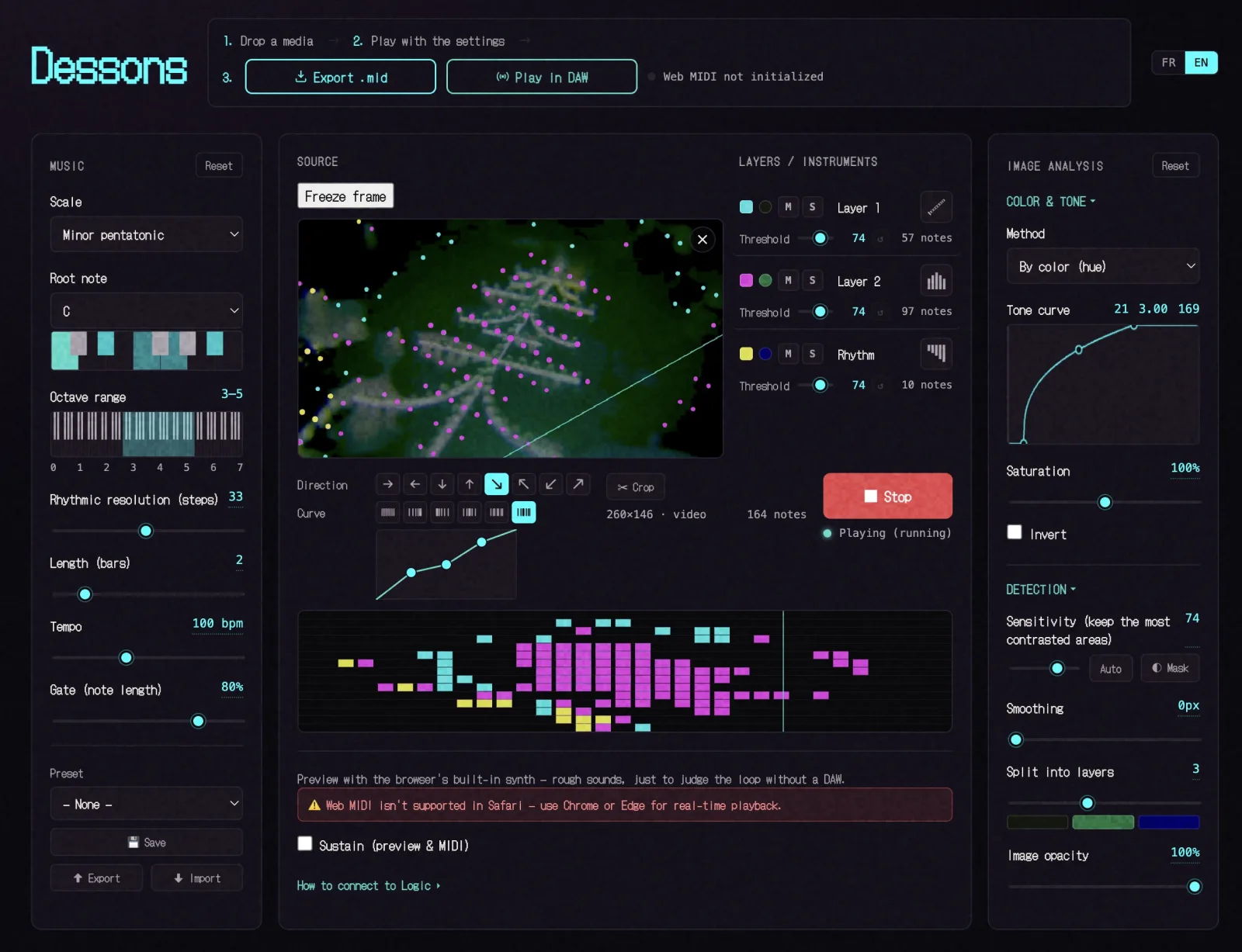
Feed it a video file or turn on the webcam and Dessons re-analyzes the frame about fifteen times a second. The notes recompute live, so with “Play in DAW” running, the MIDI loop evolves as the image moves. Move something in frame, or let a clip play through, and the loop changes with it.
A Freeze button captures a single frame when something sounds right, so you can keep it.
Direction and curve
The playhead doesn’t have to sweep left to right. There are eight directions: the four sides plus the four diagonals. On a diagonal, pitch runs along the other one.
A timing curve then warps the playhead across the loop: linear, accelerating, decelerating, pulsing, swing, or a custom curve you draw yourself by dragging three handles on a small graph (kept monotonic, so it stays a valid loop). Same notes, different feel. Everything you hear in the preview applies to the real-time output and the .mid export.
Preview runs through a small built-in synth; rough approximations of the General MIDI families, enough to judge a loop without a DAW. It works everywhere, including Safari and iOS, where the audio goes through a hidden element so the ringer switch doesn’t mute it.
Getting it into Logic
Two ways out of the browser.
Export a .mid file. Format 1, multi-track. Drop it into Logic and it lands as one track per layer, instruments and names already assigned.
Or stream it live over the Web MIDI API to a virtual port (the IAC Driver on macOS). Pick that port in Dessons, arm an instrument track in Logic, hit Play in DAW, and the loop runs until you stop it; every change to contrast, scale, tempo, instruments or the webcam frame is heard straight away, without stopping playback. This needs Chrome or Edge; Safari has no Web MIDI, so there you use the export.
Each layer sends on its own MIDI channel, so you get one Logic track per layer either by ticking “Auto demix by channel” before recording, or by recording everything onto one track and then Separate MIDI Events → By Event Channel.
How it's built
Dessons is a single index.html file: HTML, CSS and JavaScript, no framework and no build step. Double-click it and it runs, or serve the folder from anywhere. The public version is on GitHub Pages.
It uses the same palette and pixel typeface (DotGothic16) as this site, so it looks like it belongs with the rest of my work. The interface is bilingual, French and English, picked from the browser on first launch and then remembered.
Inside, a few parts do the work: a Canvas pass that samples the image and runs the contrast, hue, brightness and Sobel analysis; a quantizer that maps the surviving pixels onto the chosen scale and grid; a small General MIDI synth on the Web Audio API for preview; a Web MIDI scheduler for the live path; and a MIDI file writer for the export.
Everything runs client-side. The image, the video and the webcam feed never leave your machine; there’s no server to send them to.
What it's for
- Starting a loop for a track: a couple of minutes from a photo to two tracks in Logic
- Getting past a blank project: an image you’d never play, a locked scale, whatever phrase comes out
- Live webcam jams recorded straight into the DAW
- Turning a painting or a cover into an ambient bed
- Teaching: synesthesia, scales, MIDI and color separation, with nothing to install
Try it
Dessons is free, with no paywalled features, and always will be for personal, non-commercial use. It’s open on GitHub; issues and pull requests welcome.
The tool is under the PolyForm Noncommercial license. The music you make with it is yours; the license covers Dessons, not what it produces. Use your loops for anything, commercial releases included.